Okta
Configure Okta to use ID.me as a SAML identity provider.

This guide provides steps to integrate Okta with ID.me using the SAML 2.0 protocol.
Intended audience
Developers and IAM administrators responsible for configuring federation between Okta and ID.me.
What you will build
A federated authentication flow where Okta delegates user authentication to ID.me.
Result
A federated SAML authentication flow where Okta delegates authentication to ID.me.
Identity proofing behavior
Authentication behavior, identity verification settings, and returned attributes are driven by ID.me policy configurations.
The following steps outline the SAML authentication flow between the user, Okta, and ID.me:
https://developer.okta.com/signup/)ID.me provides two environments:
https://api.idmelabs.com/
https://api.id.me/
All ID.me OIDC and SAML endpoints are derived from the base URL above. For production, replace the sandbox base URL in every ID.me endpoint you configure.
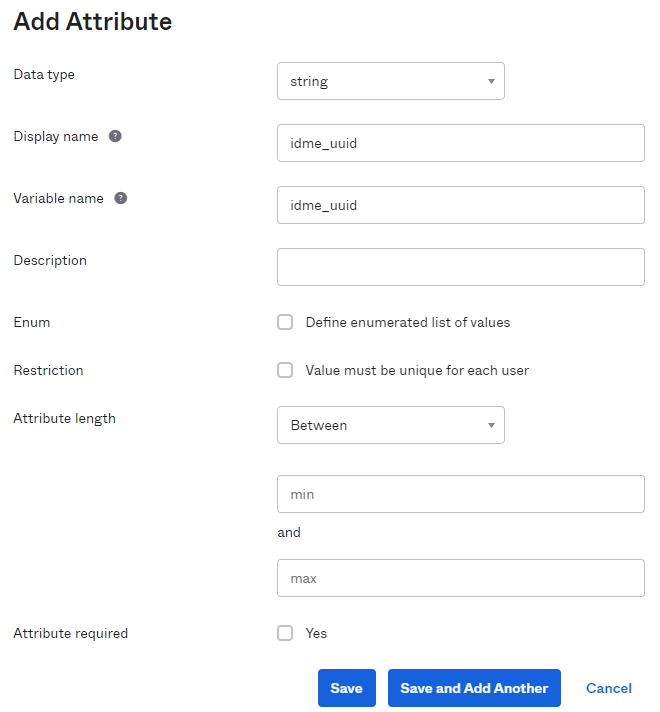
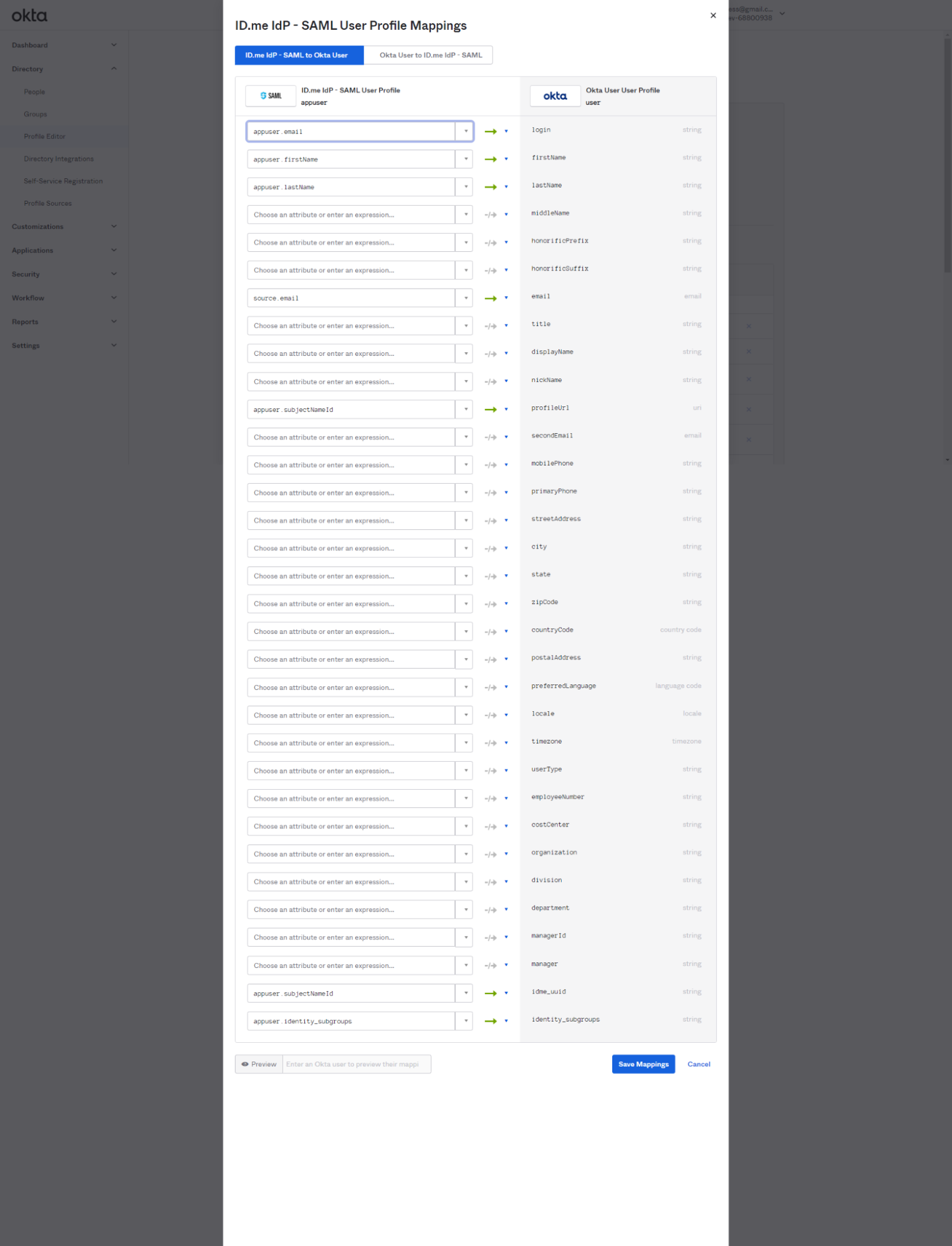
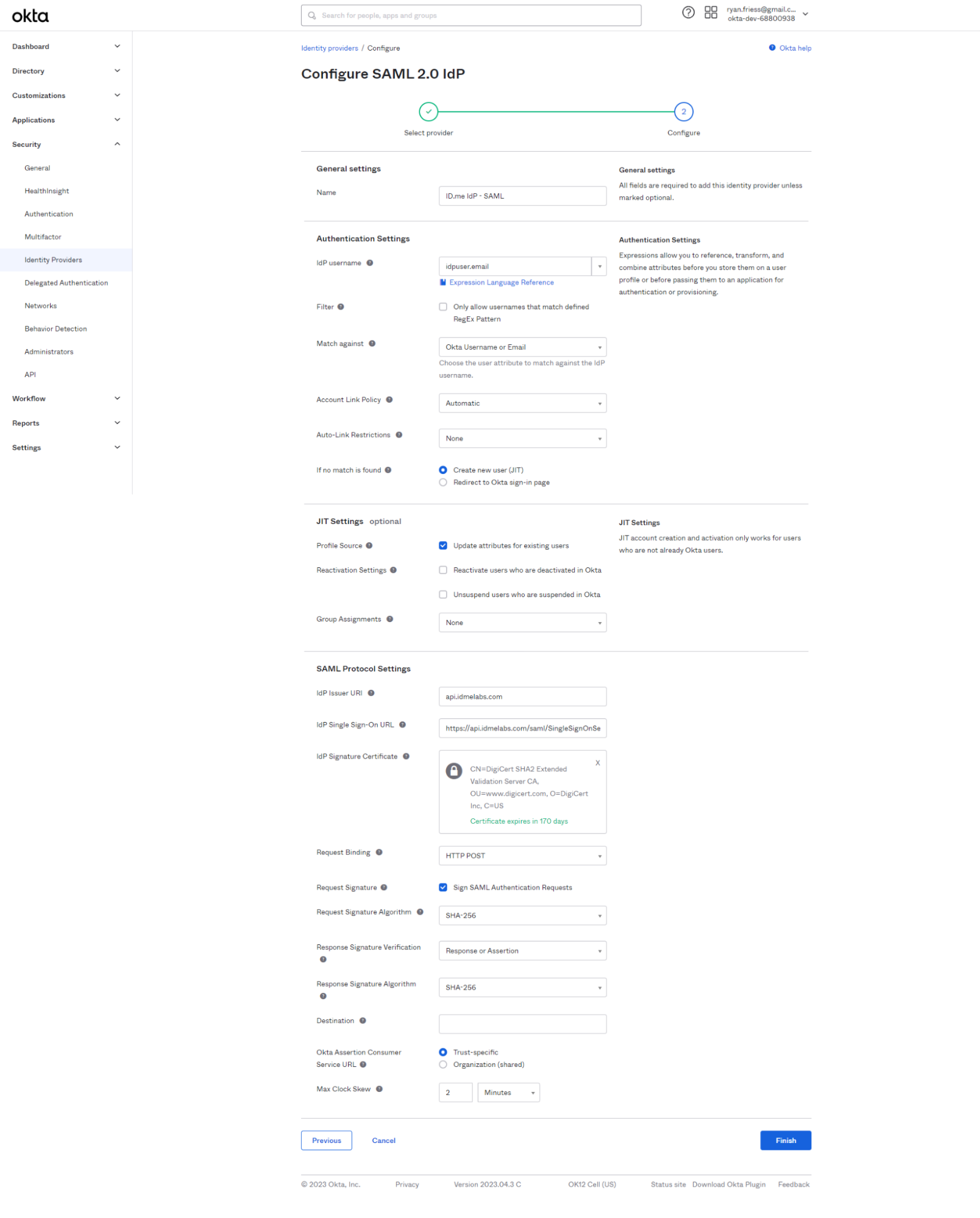
https://api.idmelabs.com/oidchttps://api.id.me/oidchttps://api.idmelabs.com/saml/metadatahttps://api.id.me/saml/metadataConfigure the User Matches:
idpuser.emailOkta Username or EmailAutomaticConfigure the JIT Settings:
Create New User (JIT)Update attributes for existing usersConfigure the SAML Protocol Settings:
To obtain the ID.me Signing Certificate, download the metadata from https://api.idmelabs.com/saml/metadata/provider. Copy the X.509 certificate between the ds:X509Certificate tags. You may need to format it as a PEM file with standard headers using a tool like SAMLTool.
This portion of the configuration is completed by an ID.me Solution Consultant. You will need to provide the following information to complete the setup:
Okta Metadata
Provide the metadata file from your Okta Identity Provider configuration. You can download this by navigating to Security > Identity Providers, expanding the ID.me IdP - SAML actions, and selecting Download metadata.
Okta Audience URI
The Entity ID for your Okta tenant.
Assertion Consumer Service (ACS) URL
The URL where ID.me should send the SAML response.
Signing/Encryption Certificate
The X.509 certificate from your Okta metadata, used for verifying signatures and encrypting assertions.
Select Create Rule and Activate
This configuration will require all users to sign in via ID.me when accessing your Okta tenant. You can configure rules to apply only to specific applications, groups, or users if preferred.